Executive Assistant AI Guide

How to Use AI as an Executive Assistant

Handle twice the workload without the 11pm emails and Sunday calendar panics.

7 chapters, 50+ pages Tools, prompts, and a 30-day plan
$29USD, one-time
Get the Guide Instant PDF download

What you get

18 prompts for meeting agendas, email drafting, travel planning, and briefing docs
Reclaim hours lost to calendar management, inbox triage, and status updates
A 30-day plan that starts with quick wins you can show your exec this week
01 Why AI Matters for Executive Assistants
02 Your Daily Tasks — What AI Can Handle
03 Tools You Should Know
04 Prompts That Work
05 The Dos and Don'ts
06 Your 30-Day AI Action Plan
07 What's Next

Built for executive assistants. Not "everyone."

The tools reviewed are ones executive assistants actually use. The prompts are for tasks you do every day. The action plan fits your workflow, not a generic 9-to-5. This was researched for your role from the ground up.

Sound familiar?

Always-on culture and burnout — EAs are expected to be on-call constantly, with 48% citing 'feeling unappreciated' as their top frustration. The WHO has recognised burnout as an occupational phenomenon, and 95% of HR leaders admit burnout sabotages workforce retention.
Invisible labour — administrative professionals carry an immense mental load that goes unnoticed. They manage emotional and operational well-being of teams, anticipate needs before they arise, and ensure seamless workflows, yet are treated as 'supportive' rather than strategic.
Career ceiling and undervaluation — nearly two-thirds of EAs report significantly increased workloads within the first year, but only a third received a raise or title change. Administrative work is excluded from leadership tracks despite involving confidential, high-impact responsibilities.
AI replacement anxiety — 46% of Business Support/Logistics professionals fear job displacement from AI, nearly double the 24% average for US workers. Executive assistants face a 72% estimated chance of automation according to automation risk assessments.

Statistics sourced from published industry research.

28%
Email and calendar overload — executives lose 15-20 hours per week to scheduling, inbox triage, and follow-up tasks.

What the guide helps you do

These are real tasks from your day. The guide gives you the tools, prompts, and workflows to hand them to AI.

Email drafting, editing, and tone adjustment for routine correspondence
Meeting note transcription, summarisation, and action item extraction
Calendar optimisation — auto-scheduling, conflict resolution, and focus time protection
Travel itinerary research and initial draft creation
Briefing document and background research compilation
Presentation creation and slide formatting
Get the Guide — $29

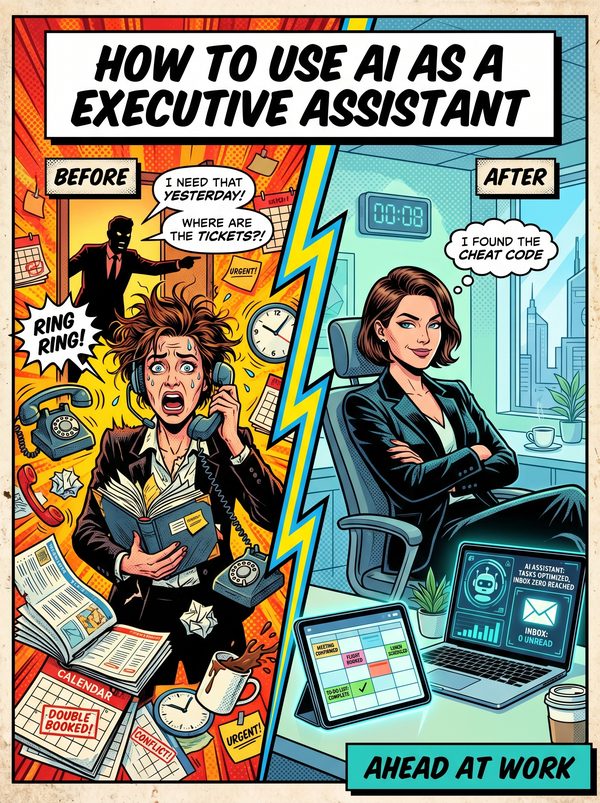
You spend a third of your day organizing someone else's calendar. Another third managing their inbox. The last third putting out fires nobody will ever thank you for.

48% of executive assistants say feeling unappreciated is their biggest frustration. Meanwhile, you've quietly taken on project management, event planning, and HR tasks, and 46% of people in your field worry AI is about to make the whole role disappear.

It won't. But only if you're the one using it.

This guide covers 15 AI tools and 18 ready-to-use prompts built specifically for executive assistant work: meeting agendas, travel itineraries, email drafting, briefing documents, expense tracking, and the dozen other things that land on your desk before 9am. Every tool includes real pricing so you know what to pitch to your exec and what to skip.

The 30-day action plan starts small, one tool, one task, one win in your first week. By day 30, you'll have automated the parts of your job that eat your evenings.

You'll stop rewriting the same meeting recap three different ways. You'll stop spending 45 minutes on a travel itinerary that AI can draft in 2. You'll stop being the person who "just handles things" and start being the person who handles things nobody else can.

Built for EAs who want to become indispensable, not expendable.

Questions

A 50+ page PDF with 7 chapters: why AI matters for your role, which tasks to automate first, honest tool reviews, 18 ready-to-use prompts, a dos and don'ts chapter so you skip the mistakes, and a 30-day action plan to actually follow through. Instant download, keep it forever.
No. The prompts work with free tools like ChatGPT and Claude. The guide covers paid options too, but you don't need them to start.
Yes. The research, prompts, and tools were chosen specifically for this role. If your day involves the tasks listed above, this was made for you.
We won't promise that. Nobody can. What we can tell you is that people who learn to use AI tools are more productive, more valuable, and harder to replace. The people at risk are the ones who pretend AI isn't happening.

Your job is changing. Get ahead of it.

7 chapters. Honest tool reviews. 18 prompts. A 30-day plan. One PDF.

Get the Guide — $29

Instant download. Keep forever.

Related guides

$29 Get the Guide