Account Manager AI Guide

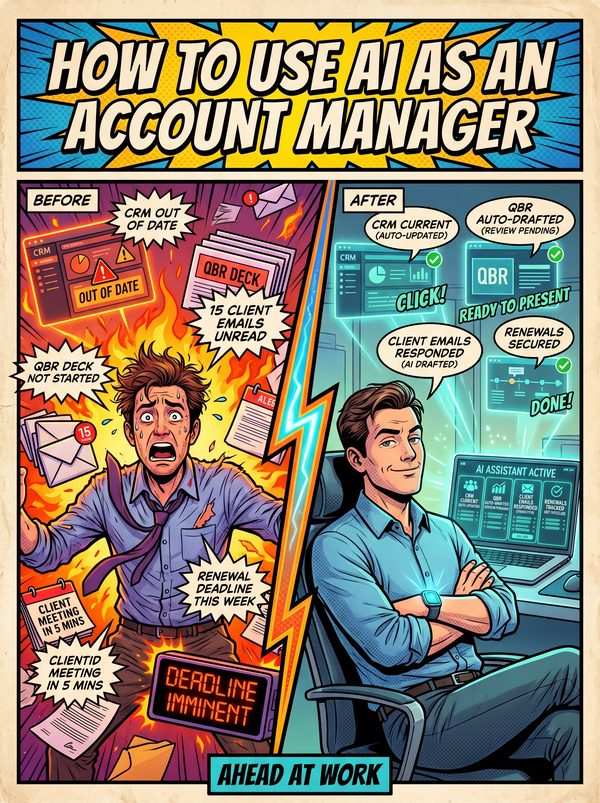
How to Use AI as an Account Manager

Manage more accounts without dropping the ball on any of them.

7 chapters, 50+ pages Tools, prompts, and a 30-day plan
$29USD, one-time
Get the Guide Instant PDF download

What you get

18 prompts for QBR decks, follow-up emails, renewal proposals, and churn risk summaries
12 tools reviewed with real prices, CRM assistants, call intelligence, and automation platforms
Reclaim the 70% of your week currently lost to admin so you can focus on your clients
01 Why AI Matters for Account Managers
02 Your Daily Tasks — What AI Can Handle
03 Tools You Should Know
04 Prompts That Work
05 The Dos and Don'ts
06 Your 30-Day AI Action Plan
07 What's Next

Built for account managers. Not "everyone."

The tools reviewed are ones account managers actually use. The prompts are for tasks you do every day. The action plan fits your workflow, not a generic 9-to-5. This was researched for your role from the ground up.

Sound familiar?

Salespeople spend only 30% of their time actually selling — the remaining 70% is consumed by admin, CRM data entry, internal meetings, email, and research that keeps you from your clients
CRM data entry alone devours 17% of your work time — 32% of sales reps spend more than 1 hour daily on manual data entry, and 68% say note-taking and data input are their most time-consuming tasks
Only 28% of sales reps hit their annual quota — you are managing more accounts with higher targets while drowning in admin work that keeps you from the strategic conversations that close deals
QBR preparation is a time black hole — 60% of work hours are spent on data collection and preparation rather than analysis and action, and traditional QBRs require juggling multiple systems to align narratives

Statistics sourced from published industry research.

21%
Email overload — account managers spend 21% of their workday writing emails, averaging 13 hours per week on email alone, while sending 36+ messages per day.

What the guide helps you do

These are real tasks from your day. The guide gives you the tools, prompts, and workflows to hand them to AI.

Drafting follow-up emails after client calls with action items, owners, and deadlines
Generating QBR presentation outlines from usage data, support tickets, and renewal dates
Summarizing call transcripts into structured notes with decisions, action items, and risk flags
CRM data entry and activity logging after meetings and calls
Churn risk detection by analyzing usage drops, support patterns, and engagement signals
Writing renewal proposals with value-delivered summaries and ROI calculations
Get the Guide — $29

Here is a number that should make you angry: you spend only 30% of your working time actually talking to clients. The other 70% disappears into CRM updates, email drafts, meeting prep, and QBR decks that take forever to assemble. And then your manager wonders why only 28% of reps hit quota.

This guide is about getting those hours back. It covers 12 AI tools built for the work that eats your day, from CRM assistants that log call notes automatically to presentation builders that turn raw data into QBR slides in minutes instead of hours. Each tool is reviewed with real pricing and a straight answer on whether it is worth your money.

The 18 prompts inside are written for account manager work specifically. You will get templates for follow-up emails that don't sound robotic, meeting prep briefs you can scan in 5 minutes before a call, renewal proposals that lead with value delivered, and churn risk summaries that pull from real data patterns. No generic 'write a professional email' prompts.

The 30-day action plan walks you through adopting AI week by week, starting with the tasks that save time immediately (email drafts, call summaries) and building toward the strategic work that wins renewals and expansions.

For account managers, customer success managers, and client-facing roles who want to spend their time on relationships, not spreadsheets.

Questions

A 50+ page PDF with 7 chapters: why AI matters for your role, which tasks to automate first, honest tool reviews, 18 ready-to-use prompts, a dos and don'ts chapter so you skip the mistakes, and a 30-day action plan to actually follow through. Instant download, keep it forever.
No. The prompts work with free tools like ChatGPT and Claude. The guide covers paid options too, but you don't need them to start.
Yes. The research, prompts, and tools were chosen specifically for this role. If your day involves the tasks listed above, this was made for you.
We won't promise that. Nobody can. What we can tell you is that people who learn to use AI tools are more productive, more valuable, and harder to replace. The people at risk are the ones who pretend AI isn't happening.

Your job is changing. Get ahead of it.

7 chapters. Honest tool reviews. 18 prompts. A 30-day plan. One PDF.

Get the Guide — $29

Instant download. Keep forever.

Related guides

$29 Get the Guide